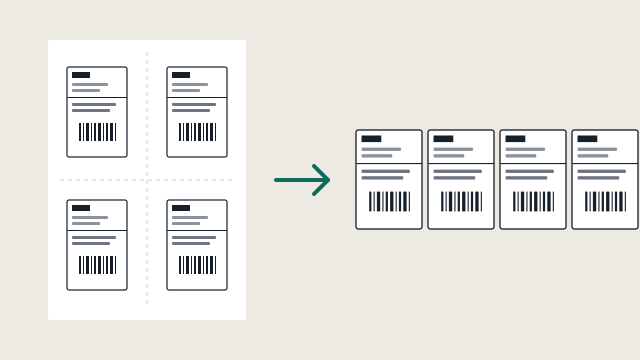
Sheets of four come out as four labels
Royal Mail Click & Drop A4 four-up sheets are split into four separate 4x6 labels, each one cropped and printed on its own.
Print any shipping label from any site to your thermal printer. It finds the label, straightens it, crops it, prints it. Nothing leaves your computer.
14 days, every feature on. No account, no card needed.
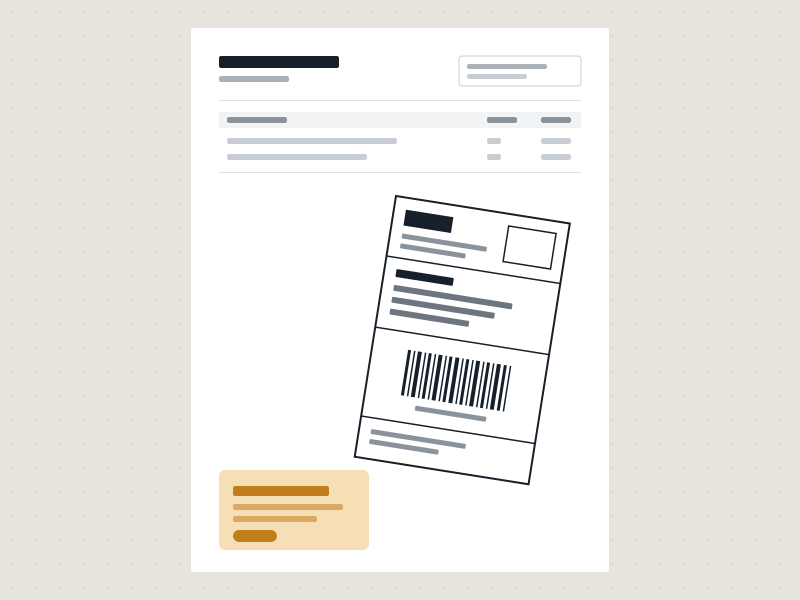
 Before
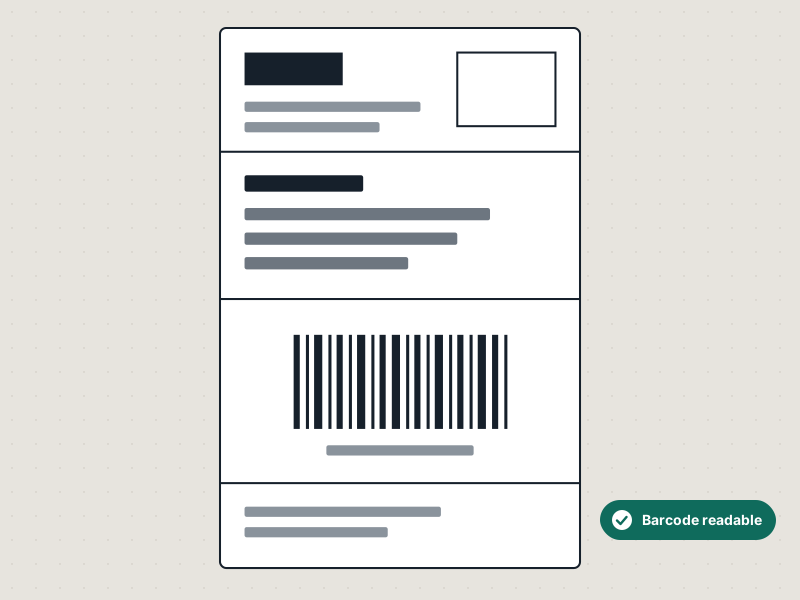
After
Before
After
Drag to compare. Everything outside the label is dropped, and the label is turned upright and checked before it prints.
eBay and Amazon already have a 4x6 option. Plenty of senders don't. If you sell on several channels, dropship, or get labels from suppliers, Label Bridge gives you one place to print all of them.
Royal Mail Click & Drop A4 four-up sheets are split into four separate 4x6 labels, each one cropped and printed on its own.
A full page with the label somewhere on it, next to a packing slip or an advert. It finds the label and ignores the rest.
Labels scanned or photographed at an angle are turned upright. Tested up to 30 degrees of tilt.
It recognises a returns slip with its own barcode and doesn't print it. Only the shipping label goes to the printer.
Save a label into a OneDrive, Google Drive or Dropbox folder on your phone and it prints on your PC at home.
Print from eBay, PayPal, Amazon, ShipStation, Click & Drop or any PDF viewer. You set up Label Bridge once instead of finding the 4x6 option on six different sites.
Rollo, Zebra, Munbyn, Polono, Phomemo, and any other 4x6 label printer Windows can print to.
A label with an unreadable barcode can get your parcel rejected. Label Bridge checks the barcode before printing. If it can't read it, it holds the label for you to look at instead of using up a label on it.
You get a notification, the label waits in a review folder, and you decide what happens next. What to do when a label is held.
Labels are processed on your own computer. There's no online service and no account. Licence checks happen offline too.
It uses the Microsoft Print to PDF driver that comes with Windows. Windows is phasing out third-party printer drivers, and tools built on them will run into that.
It works with any label printer installed in Windows. For Zebra printers on your network, it can send labels straight to the printer without a Zebra driver.

Orthic is one person. I build small tools and test them against the awkward cases: the crooked scan, the supplier PDF with three things on the page, the sheet of four.
Being small is also why the download isn't code-signed yet. The certificate is a real yearly cost, and I'd rather tell you that than hide it. It's also why, when you email support, you hear from the person who wrote the software.
Orthic Software
No subscription. Your licence works for as long as you keep that version. Try it free for 14 days with every feature on first. The trial isn't limited in any way.
You need:
That's what the trial is for. It's tested with eBay, PayPal, Amazon, Royal Mail Click & Drop, ShipStation and a range of supplier PDFs, but not every carrier and layout in existence. Print a few of your own labels during the 14 days and you'll know.
No. Everything happens on your PC. It doesn't need an internet connection to process labels, and checking your licence key happens offline too.
No. You pay once and keep using the version you bought.
Your licence isn't tied to one machine. It's registered to you by name and email.
Not currently. Label Bridge is Windows only.
Label Bridge isn't code-signed yet, so Windows SmartScreen shows a warning the first time you run it. The download page shows what you'll see and how to continue.